

Browsers & Devices
DontBreak runs every test in real browsers on both desktop and mobile viewports, so you catch issues your users would actually hit. This page covers which browsers are supported, how to enable browser and device combinations, and how those combinations affect your monthly run quota.
Supported matrix
DontBreak supports two browser engines, each available on desktop and mobile:
| Desktop | Mobile | |
|---|---|---|
| Chrome (Chromium) | Yes | Yes |
| Firefox | Yes | Yes |
No Safari support (yet)
Tests run on Chromium and Firefox only — Safari/WebKit isn't supported today, though we may add it in future (no timeline). See Browser Support for why and the full engine-coverage picture.
Mobile runs use a mobile viewport with touch emulation, and they execute your test's mobile steps — a separate step list from the desktop version, so you can adapt flows for smaller screens.
Enabling combinations
Browser and device selection lives in your test's settings.
Open Test Settings
From your test, open the Settings panel.
Pick device types
Under Device Types, toggle Desktop and/or Mobile. At least one device type must stay enabled.
Pick browsers
Under Browser Selection, toggle Chrome and/or Firefox. At least one browser must stay enabled.
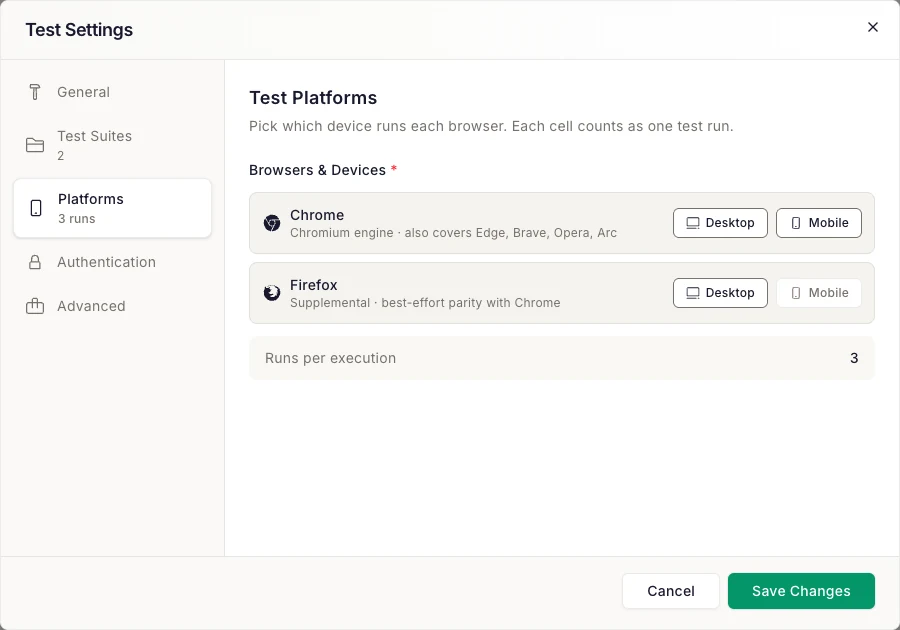
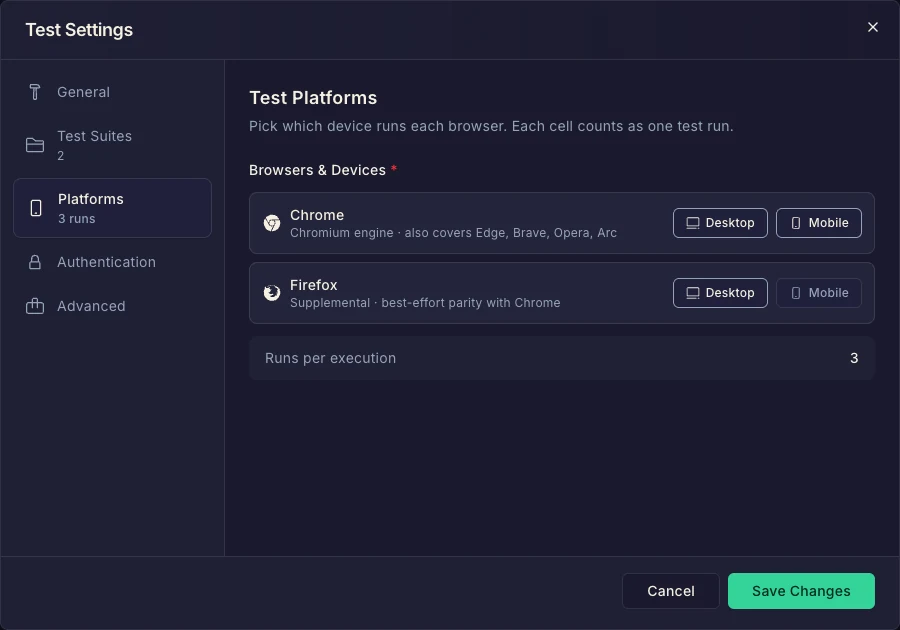
Every enabled browser runs on every enabled device type — you enable browsers and devices independently, and DontBreak crosses them into combinations.
Mobile needs mobile steps
If Mobile is enabled but the test has no mobile steps yet, the launch is rejected with a "Mobile test steps missing" message. Record mobile steps first or disable the Mobile device type.
How combinations count against your quota
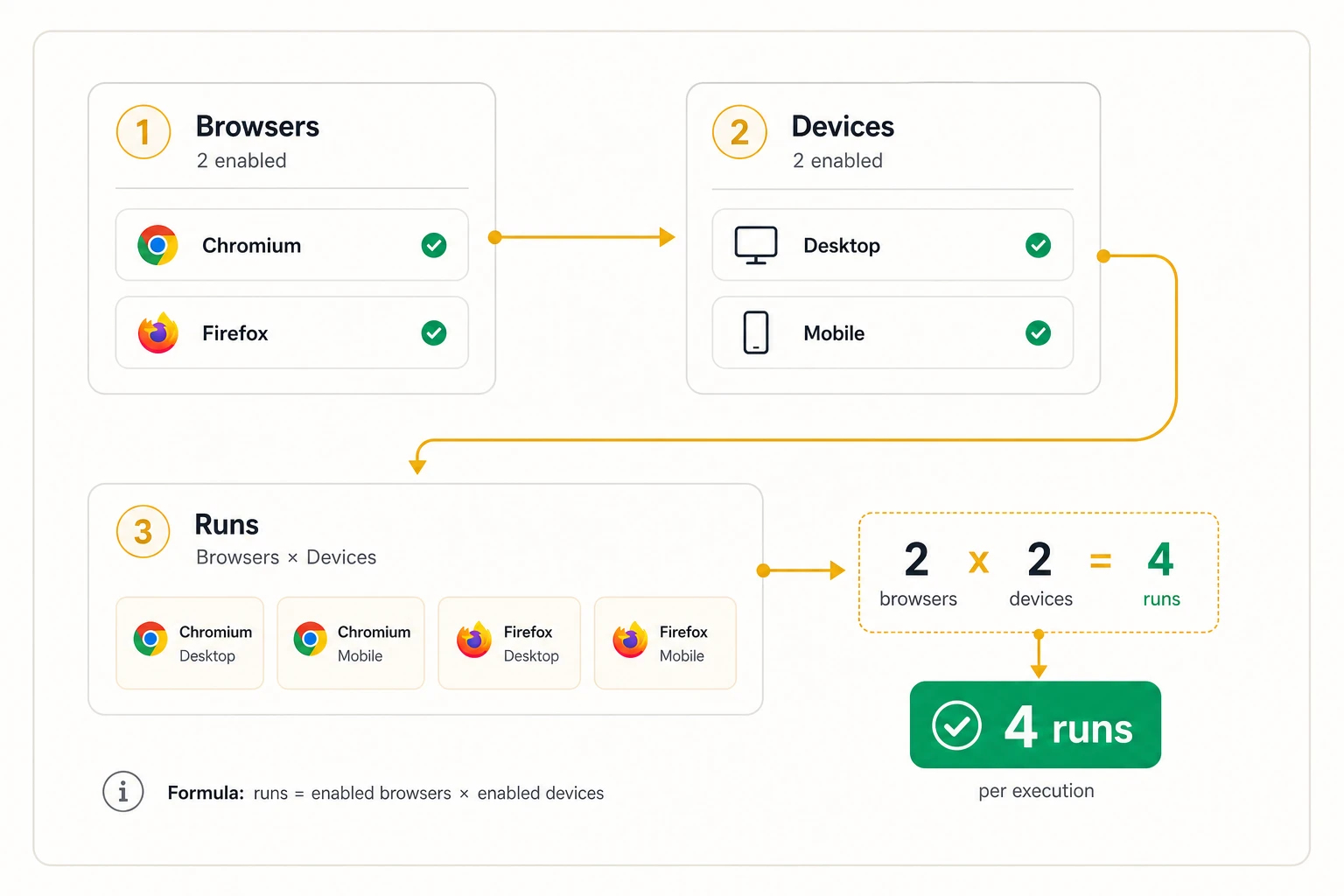
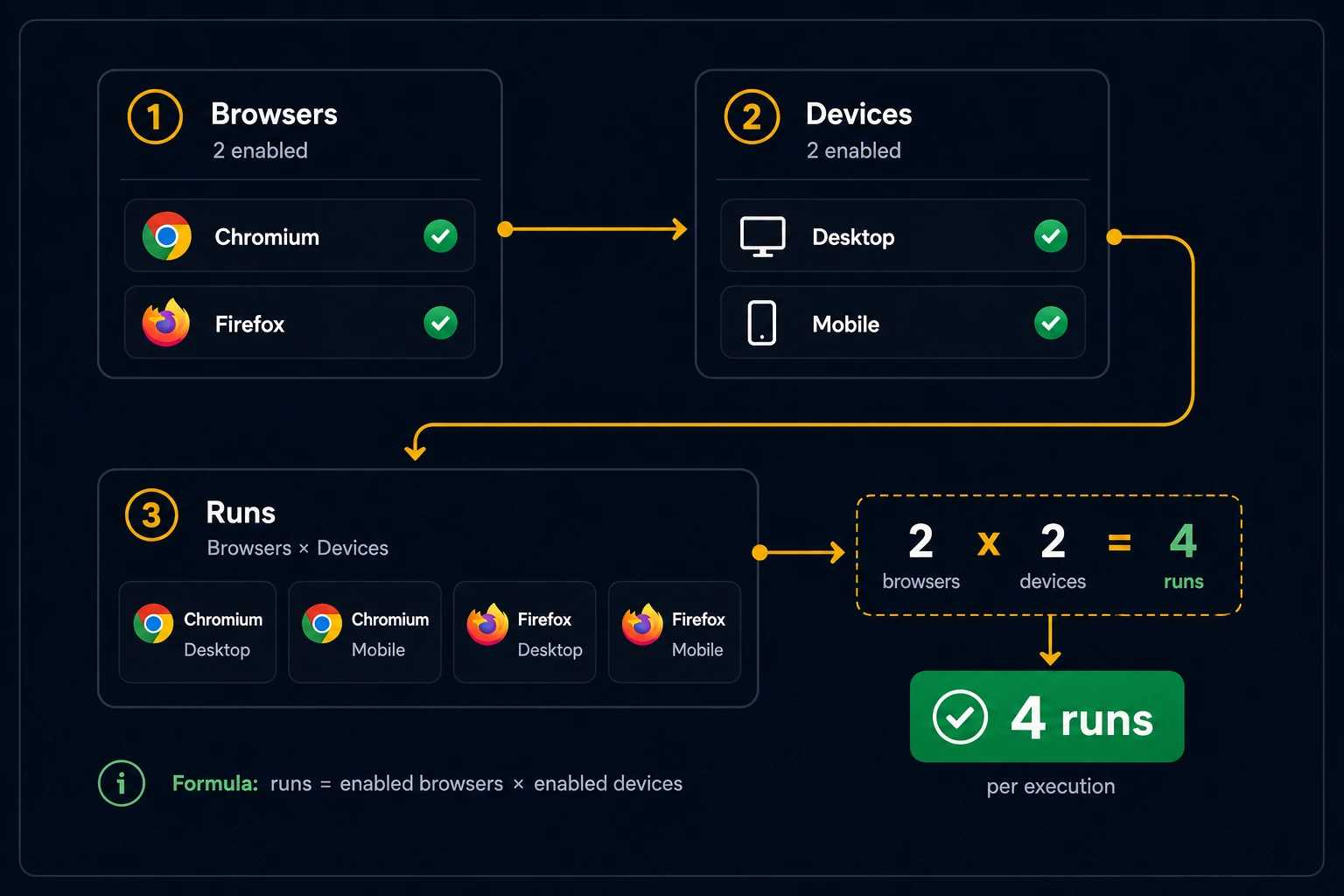
Each enabled browser × device combination is one test run every time the test executes. The math is simple:
runs per execution = enabled browsers × enabled devices
Worked example: you enable Chrome Desktop, Chrome Mobile, and Firefox Desktop. That's 3 combinations, so every execution of this test consumes 3 runs from your monthly quota. Run it daily on a schedule and that's ~90 runs per month for one test.
This is intentional — every combination spins up its own real browser session, which costs real compute. Trim combinations you don't need on high-frequency tests. See Run Quotas & Usage for the full quota model.
Platform-specific actions
Some actions only make sense on certain platforms. DontBreak handles this automatically:
| Action | Availability | On unsupported platforms |
|---|---|---|
| Swipe | Mobile only (Chromium mobile) | Skipped |
| Long Press | Mobile only (Chromium mobile) | Skipped |
| Pull to Refresh | Mobile only (Chromium mobile) | Skipped |
| Right Click | Desktop only | Skipped |
| Hover | Desktop only | Skipped |
| Move Mouse Away | Desktop only | Skipped |
Two rules to remember:
- Mobile-only gestures run on Chromium mobile only. Swipe, Long Press, and Pull to Refresh are skipped on Firefox mobile runs.
- Skipped steps don't fail the run. They appear with a Skipped status in the report, and the run continues with the next step.
So it's safe to mix a Swipe step into a test that also runs on desktop and Firefox — those runs simply skip it.
Choosing your matrix
A practical default:
- Chrome Desktop for every test — your baseline.
- Chrome Mobile for user-facing flows where mobile traffic matters (checkout, signup, navigation).
- Firefox Desktop on your most critical paths to catch engine-specific rendering and behavior differences. The report's cross-browser drift card highlights where browsers diverge visually.
See Actions: Interactions for the full action catalog and Test Settings for everything else configurable per test.