

Run Quotas & Usage
Every DontBreak plan includes a monthly allowance of test runs. This page explains how runs are counted, where to track your usage, what happens when you hit the limit, and how to top up with one-time run packs.
What counts as a run
One run = one test executing on one browser × device combination. Because each combination spins up its own real browser session (and real compute), every enabled combination counts separately:
runs per execution = enabled browsers × enabled devices
A test with Chrome + Firefox on Desktop + Mobile consumes 4 runs every time it executes — whether you launched it manually, via a schedule, or as part of a suite. Runs are counted when the test launches. See Browsers & Devices for the full breakdown and tips on trimming combinations.
Your monthly allowance
Your plan defines how many test runs you get per month (see Plans & Billing for plan details). Usage resets at the start of each billing period — the subscription page shows the exact reset date.
Where to see usage
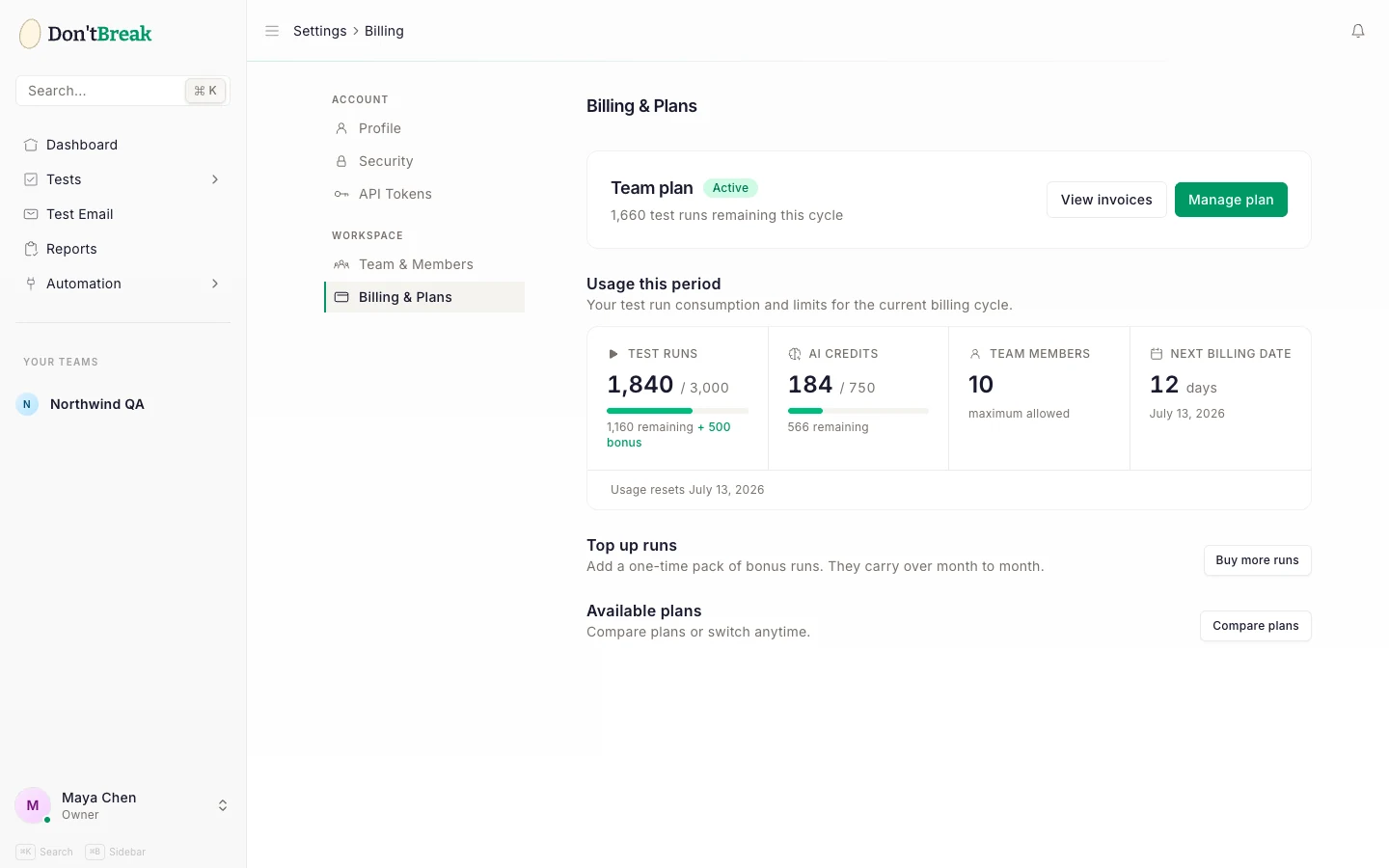
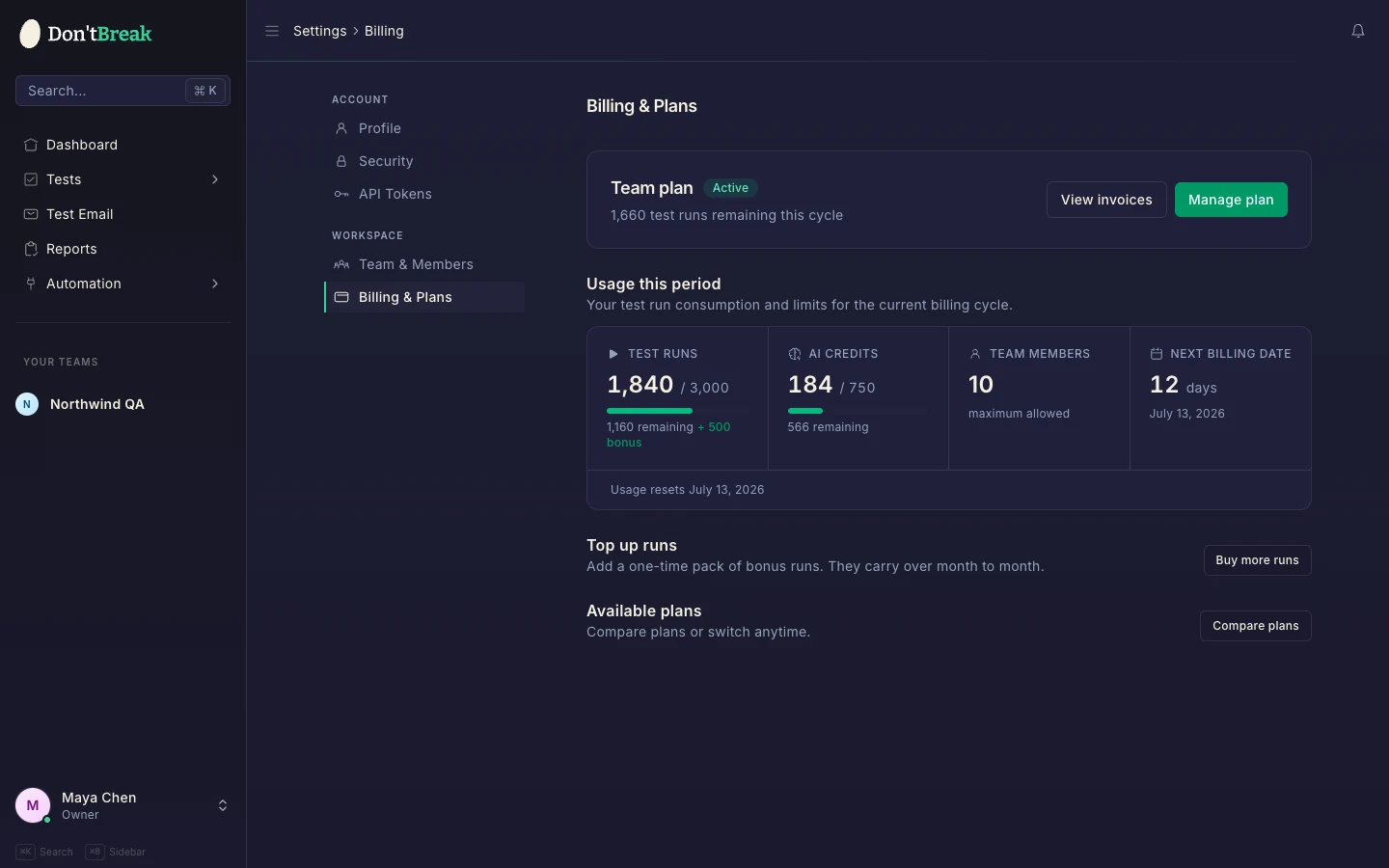
Go to your Subscription settings page. It shows:
- Runs used vs your monthly limit, with a usage bar (turns amber at 75%, red at 90%).
- Runs remaining and the date your usage resets.
- A warning banner once you pass 80% of your allowance, with top-up options.
You'll also find a compact Subscription & Usage panel on your team settings page.
Run packs
If you need more runs before your reset date, buy a one-time run pack from the subscription page:
| Pack | Runs | Price |
|---|---|---|
| Small | 500 | $19 |
| Medium | 2,000 | $59 |
| Large | 10,000 | $199 |
Run packs are one-time purchases (not subscriptions), checked out through Stripe. Two properties make them different from your plan allowance:
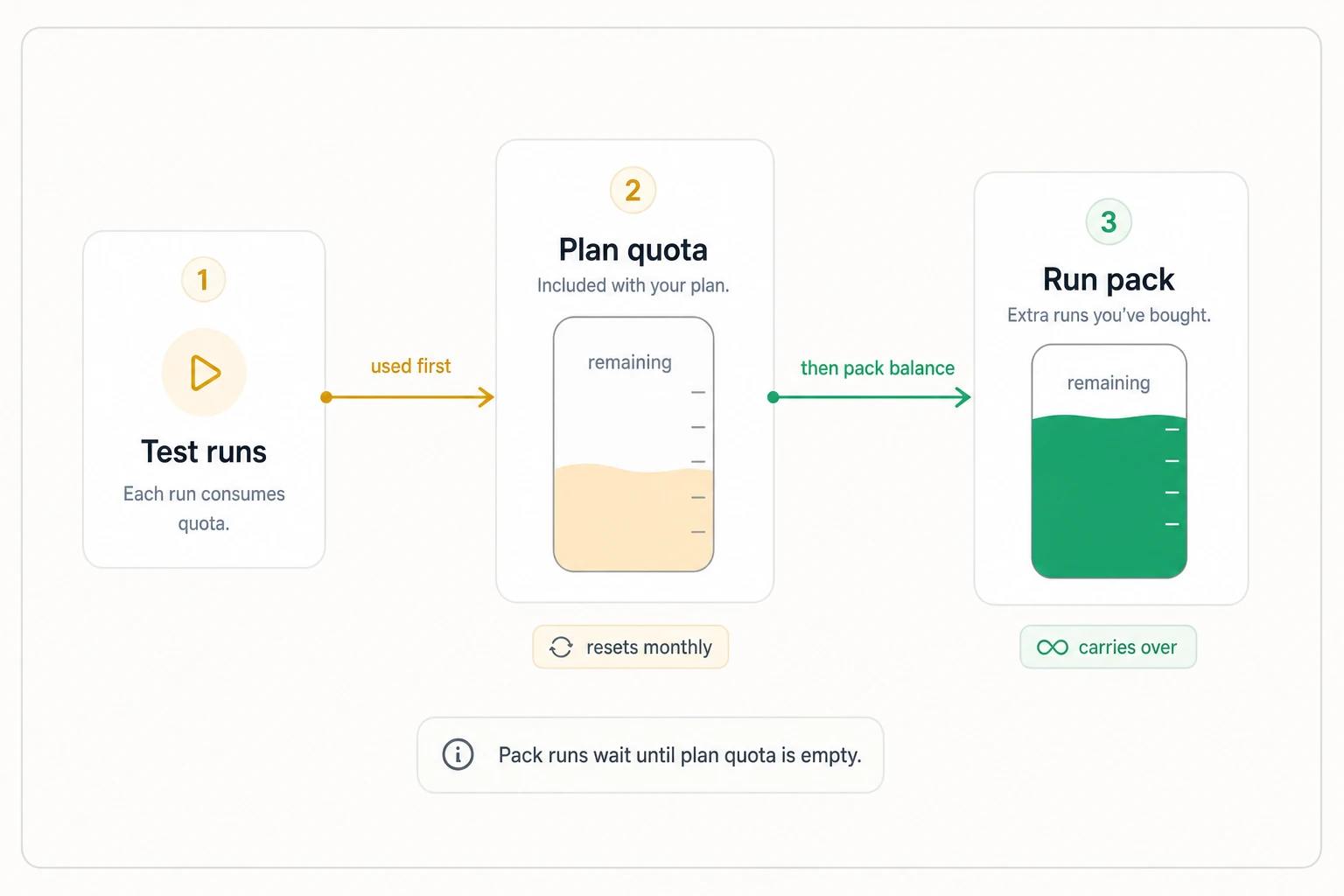
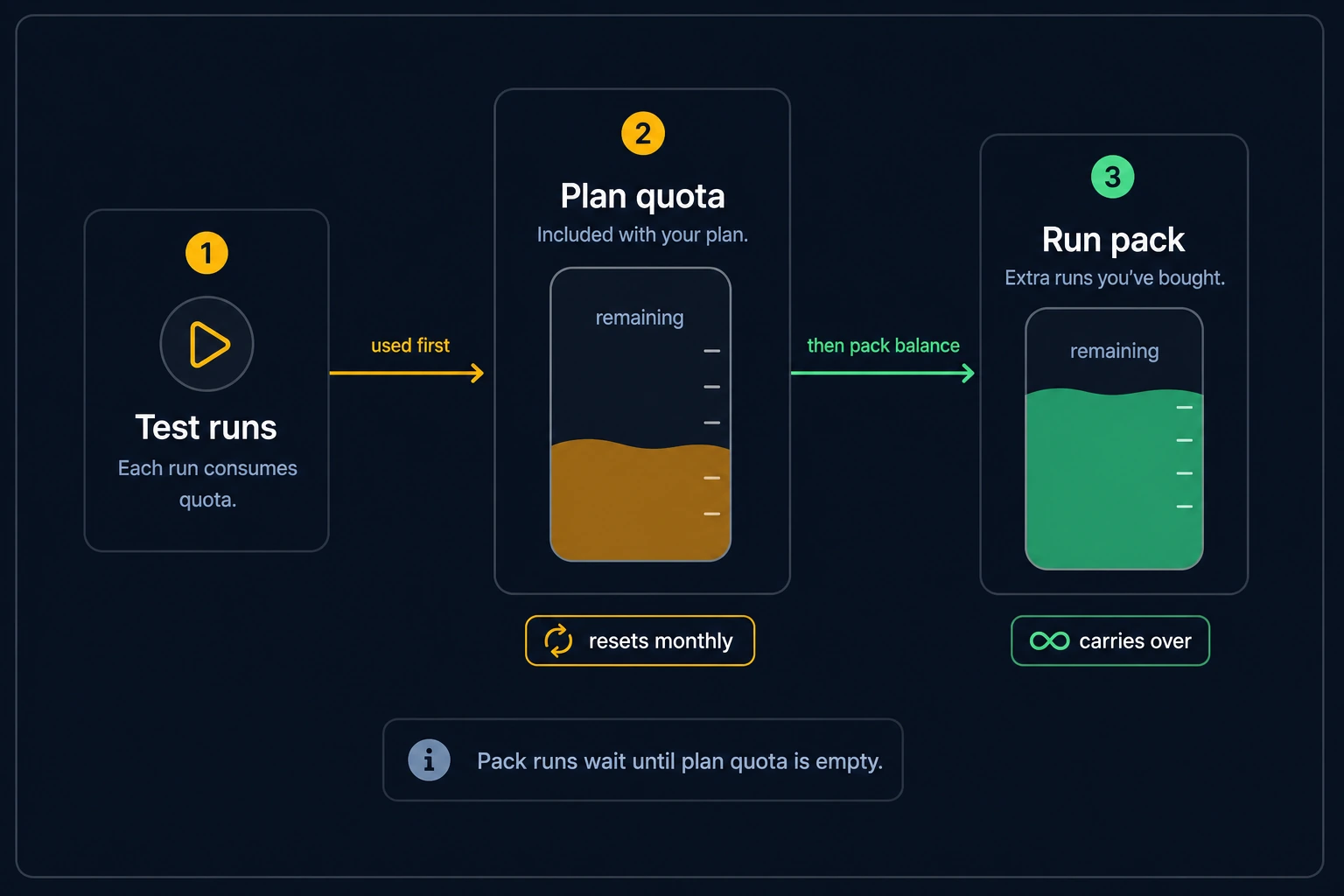
- Pack runs carry over month to month — they don't expire at your billing reset.
- Plan quota drains first. Runs consume your monthly plan allowance before touching your pack balance, so pack runs are only spent once the included runs are gone.
Pack vs upgrade
Hitting the limit occasionally? A pack is the cheap fix. Hitting it every month? Upgrading your plan is usually better value — compare on Plans & Billing.
What happens at the limit
When your remaining runs (plan + pack balance) reach zero, new launches are blocked. Clicking Launch on a test or suite returns an error: "You have reached your monthly test run limit. Please upgrade your plan." This applies to manual launches and suite launches alike.
Your tests, suites, schedules, and settings are untouched, and reports inside your plan's retention window stay accessible. To resume running tests, either buy a run pack, upgrade your plan, or wait for your monthly reset.
Inactive subscriptions
If your subscription lapses entirely (rather than just running out of quota), the account becomes read-only and test launches are blocked with a "subscription is not active" message until you resubscribe. Your plan's report retention still applies for 30 days, then drops to the 7-day floor, so runs and artifacts older than a week are pruned — resubscribe within 30 days or export anything you need first. See Billing Questions.
Keeping usage under control
- Trim browser/device combinations on high-frequency tests — every combination multiplies cost.
- Watch schedule frequency. An hourly schedule on a multi-test suite is the most common source of surprise usage.
- Use the 80% warning as your cue to either prune schedules or top up before launches get blocked mid-release.