

Plans & Billing
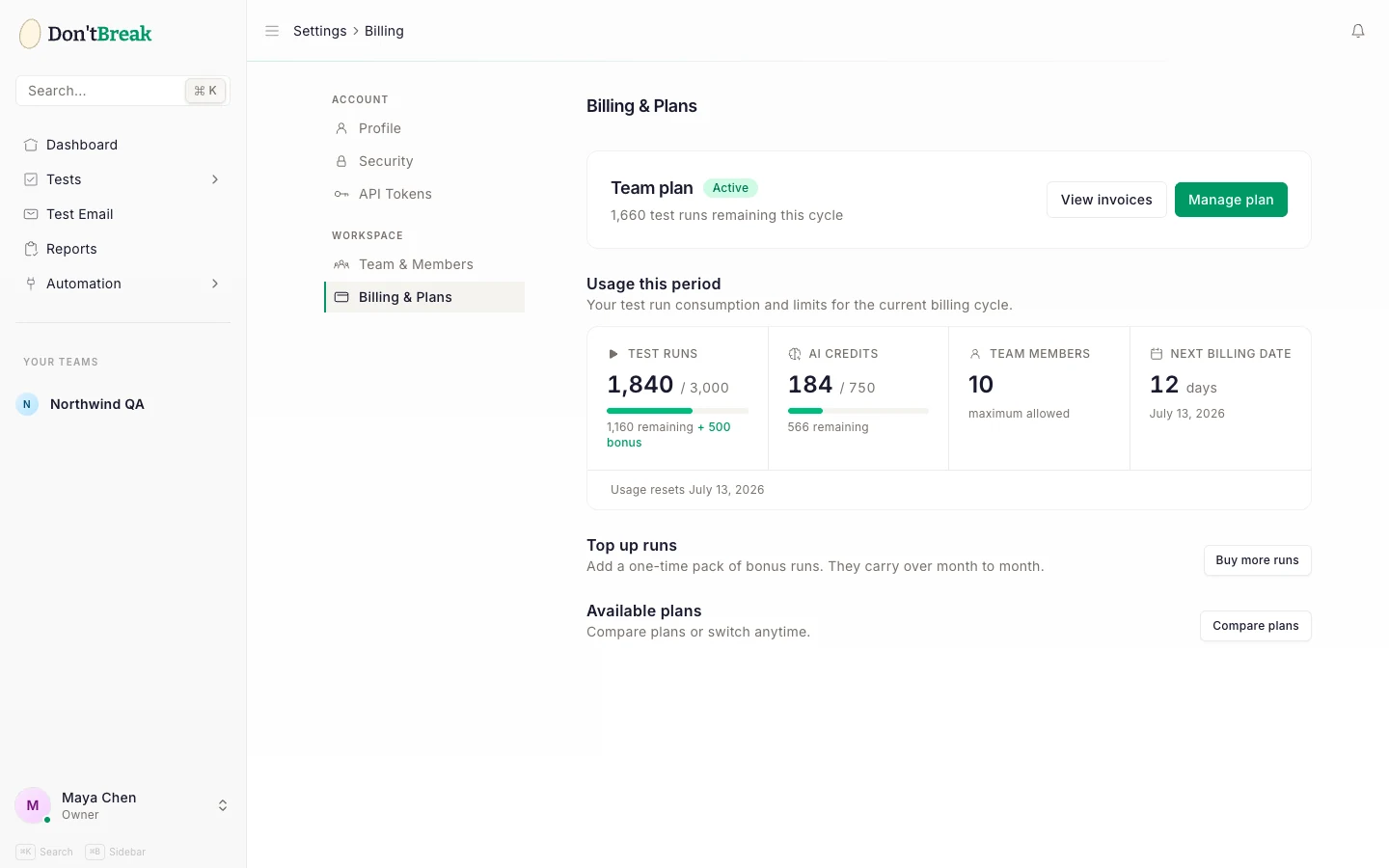
DontBreak is a subscription product: your plan sets how many test runs your team gets per month, how many team members you can have, and how long run history is kept. This page explains the plan structure, the subscription lifecycle, and how to manage payment details — plus run packs for topping up when a busy month exhausts your quota.
Plan structure
There are three plans — Solo, Team, and Agency — each available with monthly or annual billing (annual is cheaper per month). Every plan includes the full feature set; the differences are the limits:
| Solo | Team | Agency | |
|---|---|---|---|
| Test runs / month | 6,000 | 15,000 | 30,000 |
| Concurrent test runs | 20 | 50 | 100* |
| Team members | 1 | 10 | Unlimited |
| Run history retention | 14 days | 30 days | 90 days |
| AI credits / month | 250 | 750 | 2,000 |
| Email verification testing | Yes | Yes | Yes |
For current pricing, open Subscription in the app — it shows each plan with a monthly/annual toggle. Prices are in USD and exclude VAT, GST and sales tax; applicable taxes are calculated and added at checkout, and are collected and remitted by Stripe as merchant of record (see the Billing FAQ). A test run is one browser × device execution; see Run Quotas & Usage for how usage is counted.
Concurrent test runs is how many of your team's runs execute at the same time. Launching more than the cap isn't rejected — the excess runs are queued and dispatched automatically as earlier runs finish, so a big suite launch still completes, just in waves. During the free trial, up to 20 runs execute at once on every plan. *Agency teams that need more at once can email support@dontbreak.io to have the limit raised for their account.
Run history retention is how long reports and their artifacts are kept before being pruned. It follows your active plan; if the subscription is canceled or lapses, your plan's window still applies for 30 days, then retention drops to a 7-day floor. See Reports & Artifacts.
Subscription lifecycle
Your subscription moves through these states:
- Trial — when you subscribe to a plan for the first time, you get a 14-day free trial before the first charge. Every feature is available during the trial; usage is capped at 500 test runs and 50 AI credits until the trial converts, at which point your full plan limits unlock. The free trial is offered once per account.
- Active — the trial converted and payments are succeeding. Business as usual.
- Past due — a payment failed. You keep full access for 7 days while it's retried, and we email you when it fails. If it's still failing after 7 days, the account pauses and scheduled checks stop (your tests and reports are kept); we email you then too, and updating your card in the billing portal restarts everything. If your bank asks you to confirm a payment, we email you a link to do it.
- Canceled — the subscription ended. Your account becomes read-only: you can view existing tests and reports, but you can't run tests until you subscribe again.
Without an active, trialing, or past-due subscription, test launches are blocked with a "Your subscription is not active" message.
Managing billing
Billing is handled by Stripe. From the Subscription page in the app, click Manage billing to open the Stripe billing portal, where you can:
- Update your payment method
- Download invoices and receipts
- Cancel or renew your subscription
Plan changes (upgrade, downgrade, or switching between monthly and annual) start from the same Subscription page — pick the plan and billing cycle you want.
Run packs
If you hit your monthly run limit mid-cycle, you don't have to upgrade — you can buy a one-time run pack from the Subscription page:
| Pack | Runs | Price |
|---|---|---|
| Small Pack | 500 | $19 |
| Medium Pack | 2,000 | $59 |
| Large Pack | 10,000 | $199 |
Run packs are one-time purchases, not subscriptions. Your monthly plan quota is always used first; pack runs are only drawn down once the plan quota is exhausted. Unused pack runs carry over month to month — they don't expire when your quota resets.
Pack or upgrade?
A pack is right for a one-off spike (a big release, a migration). If you're buying packs every month, upgrading your plan is cheaper per run.
Related
- Run Quotas & Usage — how runs are counted and tracked
- Billing FAQ — quick answers to common billing questions
- Teams & Roles — inviting members within your plan's limit