

GitHub Actions
Trigger your DontBreak test suites automatically from GitHub Actions — on every push, after a deployment, or anywhere else in your workflow — and gate the pipeline on the result. The integration uses a ready-made action: by default the step waits for the suite to finish and fails the job if any test fails, so a broken flow never reaches production unnoticed.
Setup
Enable the GitHub Actions integration
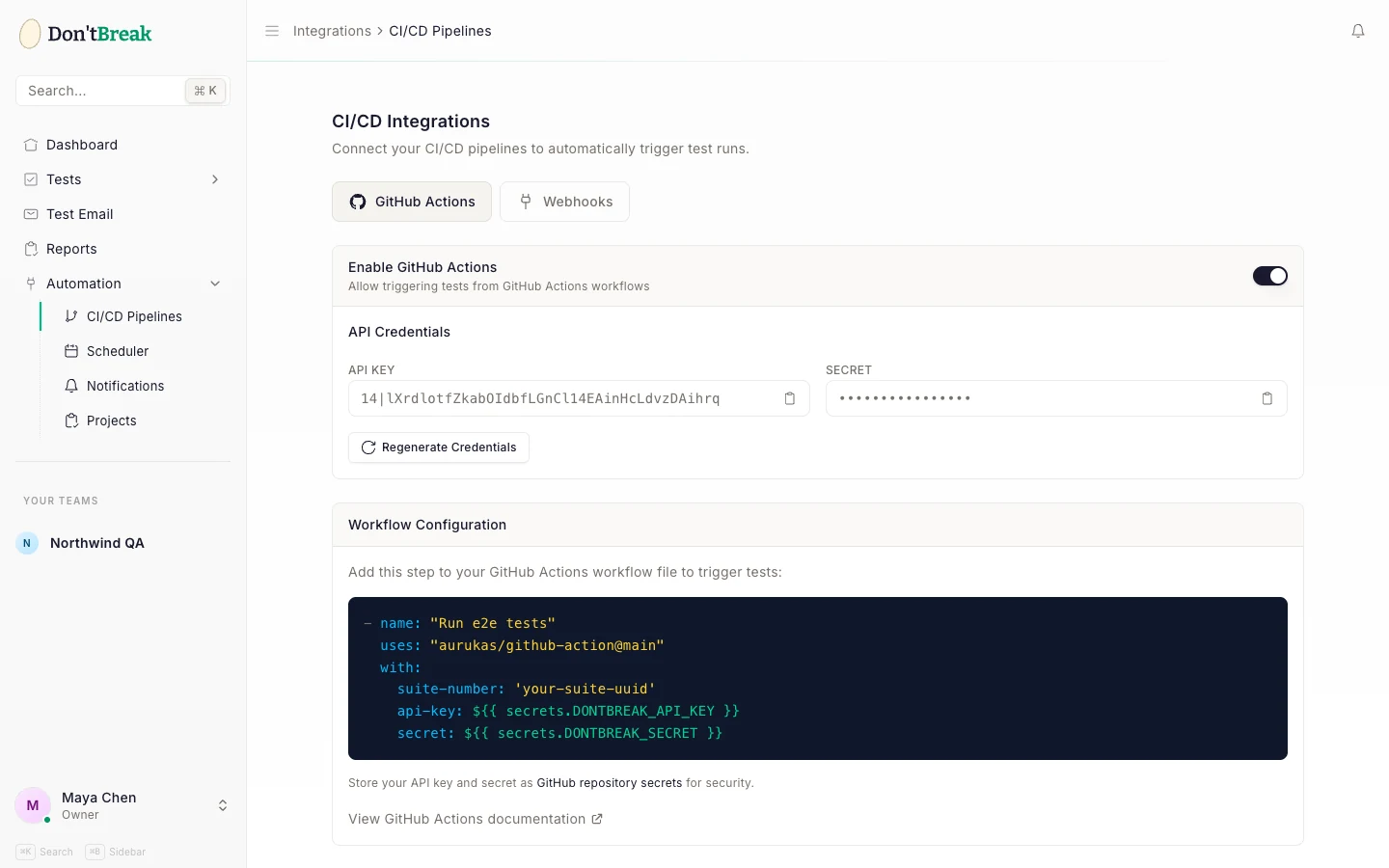
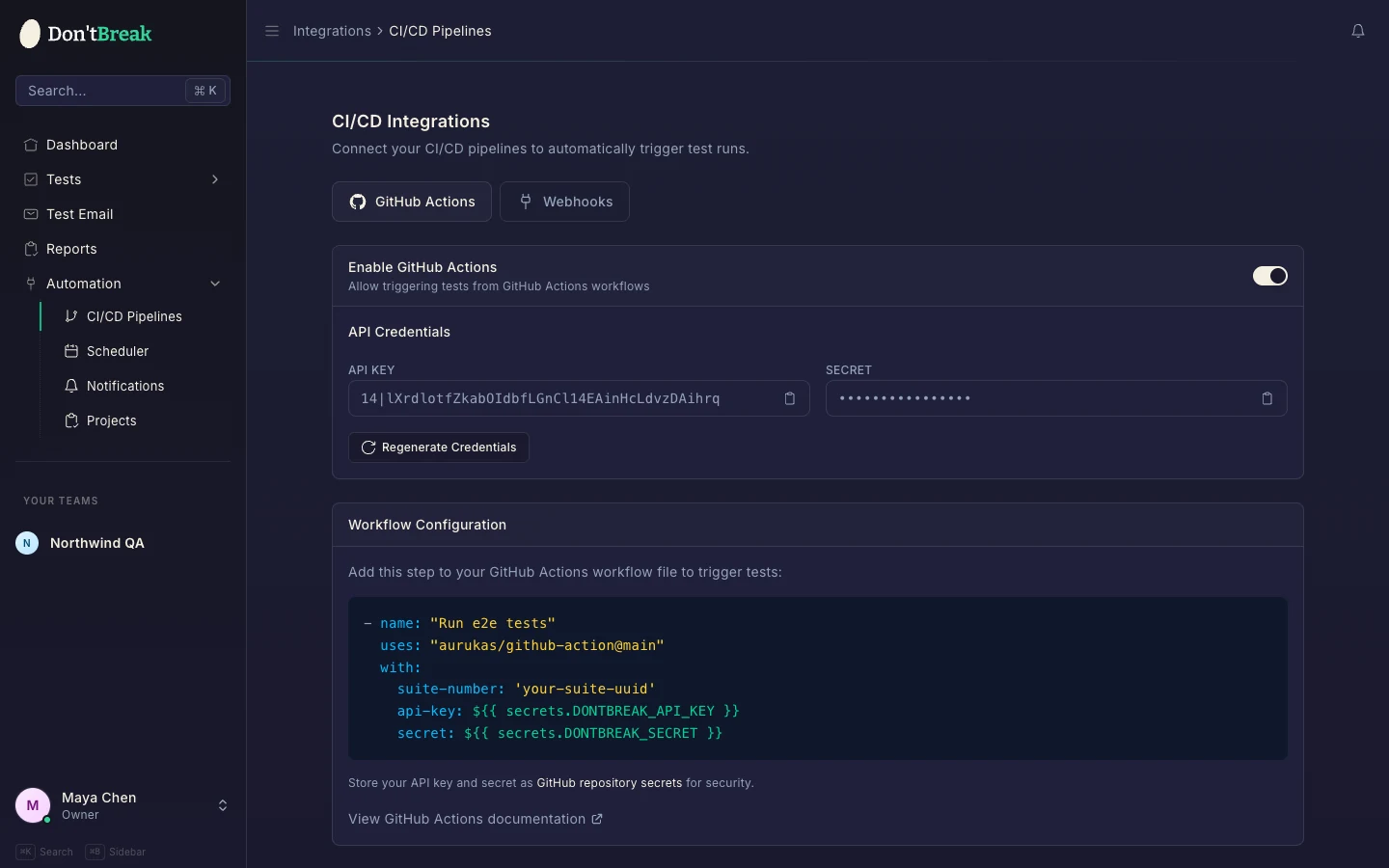
Go to Automation > CI/CD Pipelines in the sidebar and select the GitHub Actions tab. Flip the Enable GitHub Actions toggle to allow workflows to trigger your tests. Disabling it blocks API launches immediately (requests return 403).
Generate API credentials
In the API Credentials section, click Generate Credentials. DontBreak creates an API key and a secret for your team and shows them once — copy both right away and store them somewhere safe; they cannot be viewed again. If credentials already exist, the button reads Regenerate Credentials — regenerating revokes the old pair immediately.
Add the credentials as GitHub repository secrets
In your GitHub repository, go to Settings > Secrets and variables > Actions and create two repository secrets:
DONTBREAK_API_KEY— your API keyDONTBREAK_SECRET— your secret
Store your API key and secret as GitHub repository secrets for security — never paste them directly into workflow files.
Add the workflow step
Add this step to your GitHub Actions workflow file, exactly as shown on the integration page:
- name: Run DontBreak E2E suite
  uses: dontbreakio/action@v1
  with:
    suite-id: 'your-suite-uuid'
    api-key: ${{ secrets.DONTBREAK_API_KEY }}
    secret: ${{ secrets.DONTBREAK_SECRET }}
Find your suite UUID
Open the suite you want to run under Test Suites in the app. The UUID is the identifier in your browser's address bar — for example /tests/suites/9b1deb4d-.... Paste it into suite-id. See Test Suites for how to group tests into a suite.
What the action does
The action launches your suite, then polls the run until it reaches a terminal status:
- All tests pass — the step succeeds and the job continues.
- Any test fails, or the run is cancelled — the step fails the job.
- No result within
timeout-minutes(default 30) — the step fails with a timeout.
Either way, the step writes a job summary with the result, pass/fail counts, duration, and a link to the full report. Launch problems fail the step immediately with a clear error — invalid credentials, a disabled integration, an unknown suite, or an exhausted run quota can never show up as a green build.
Options
| Input | Default | Description |
|---|---|---|
wait | 'true' | Set 'false' to fire-and-forget: the step succeeds as soon as the launch is accepted. |
timeout-minutes | '30' | How long to wait for a result before failing with a timeout. |
poll-interval | '10' | Seconds between status polls. |
Outputs
The step exposes run-id, status (passed, failed, cancelled, timeout, or running when not waiting), passed, failed, and report-url for downstream steps:
- name: Run DontBreak E2E suite
  id: e2e
  uses: dontbreakio/action@v1
  with:
    suite-id: 'your-suite-uuid'
    api-key: ${{ secrets.DONTBREAK_API_KEY }}
    secret: ${{ secrets.DONTBREAK_SECRET }}

- name: Show report link
  if: always()
  env:
    STATUS: ${{ steps.e2e.outputs.status }}
    REPORT: ${{ steps.e2e.outputs.report-url }}
  run: echo "Suite finished with $STATUS — $REPORT"
Full example workflow
A complete workflow that runs your suite after every deployment, and also on pushes to main:
name: E2E Tests

on:
  deployment_status:
  push:
    branches: [main]

jobs:
  e2e:
    runs-on: ubuntu-latest
    steps:
      - name: Run DontBreak E2E suite
        uses: dontbreakio/action@v1
        with:
          suite-id: 'your-suite-uuid'
          api-key: ${{ secrets.DONTBREAK_API_KEY }}
          secret: ${{ secrets.DONTBREAK_SECRET }}
Prefer fire-and-forget?
Set wait: 'false' and the step finishes as soon as the suite is launched. Results appear in DontBreak as the run completes, and alerts fire through your Slack and email notifications. You can also poll the per-run results endpoint yourself — see Webhooks & CI/CD.
Troubleshooting
- 401 Unauthorized — the API key or secret doesn't match. Regenerate credentials on the integration page and update your GitHub secrets (old credentials stop working the moment you regenerate).
- 402 Payment Required — your subscription is inactive or the plan's run quota is exhausted; see Run Quotas.
- 403 Forbidden — the GitHub Actions integration is disabled. Re-enable the toggle under Automation > CI/CD Pipelines.
- 404 Not Found — the suite UUID is wrong. Copy it from the suite's URL again.
- Timeout — the run didn't finish within
timeout-minutes. Large suites may need a higher value; check the run in Reports to see whether it completed after the step gave up.
Not using GitHub? The same credentials pattern works with any CI system via the webhook API.