

Multi-Step Workflows
This guide shows you how to test user journeys that span several pages — add to cart, checkout, confirm — in DontBreak. The key insight: a multi-page flow is just a longer list of steps. Navigation happens because you click things, exactly like a real user. The in-app Buy a Product example test is a working checkout-style flow you can open and study.
Crossing pages is just Click
There's no special "navigate" step for following your app's own links and buttons. Click the "Add to cart" button, Click the cart icon, Click "Proceed to checkout" — each click that triggers navigation simply carries the test onto the next page, where your next step targets elements on that page.
The browser actions Go Back, Go Forward, and Reload Page are there when the journey genuinely includes them: testing that the cart survives a back-button press, or that a page refresh keeps the user's session. Use them to test browser behavior, not as a workaround for navigation that a click should handle.
A checkout flow, step by step
Stage 1 — pick a product
Start the test on a product listing page. Click a product, then assert you're on the detail page with Element is Visible on the product title or URL Check on the product URL.
Stage 2 — add to cart
Click "Add to cart", then assert the result before moving on — Element is Visible on the cart badge, or Page Contains "Added to cart".
Stage 3 — checkout form
Click through to checkout, fill the shipping fields with Type Text (see Form Testing), and Click continue.
Stage 4 — confirm and assert the end state
Click the final confirm button, then assert success twice: URL Check for the confirmation URL and Page Contains for the order confirmation text.
Let actions wait — assert to verify
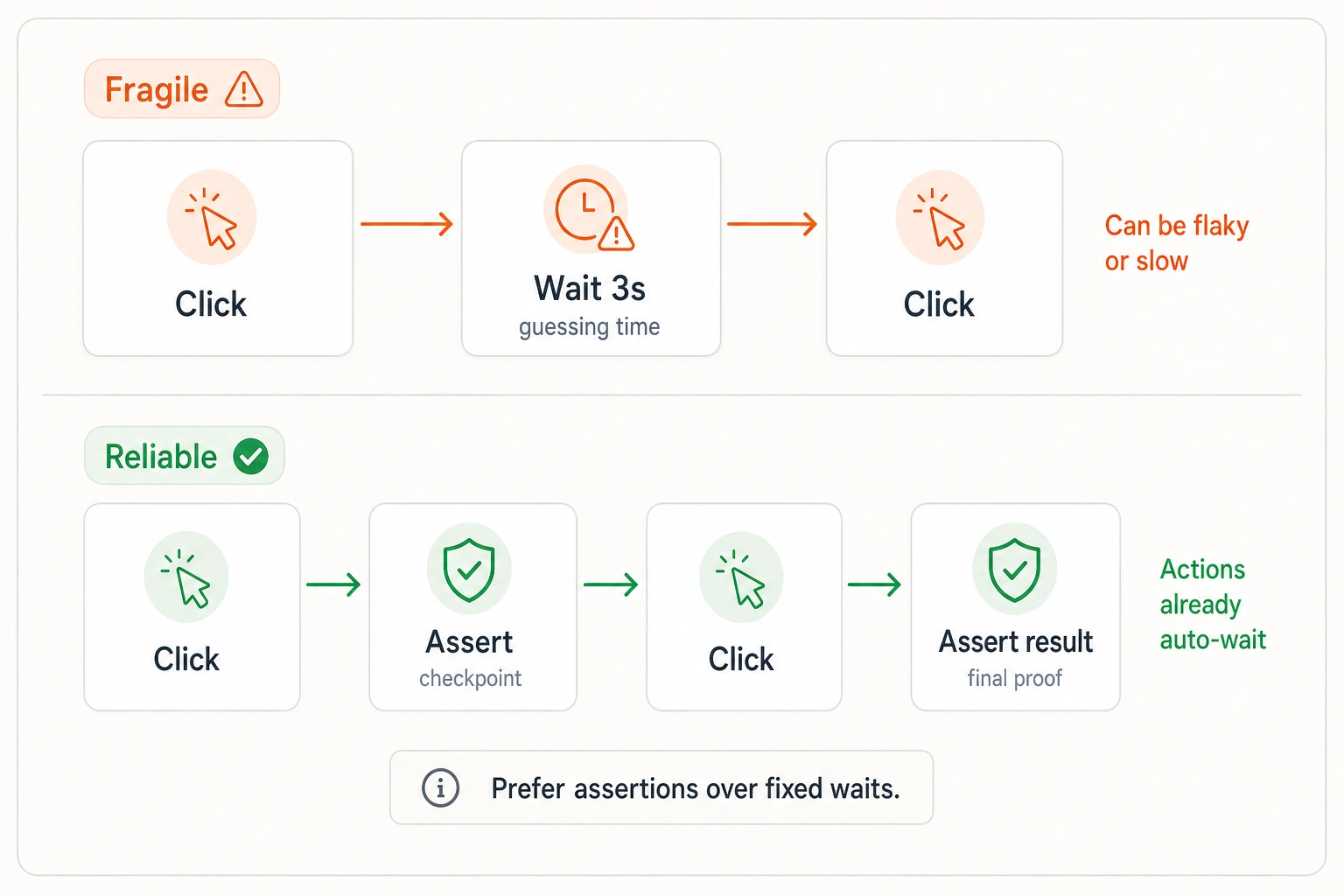
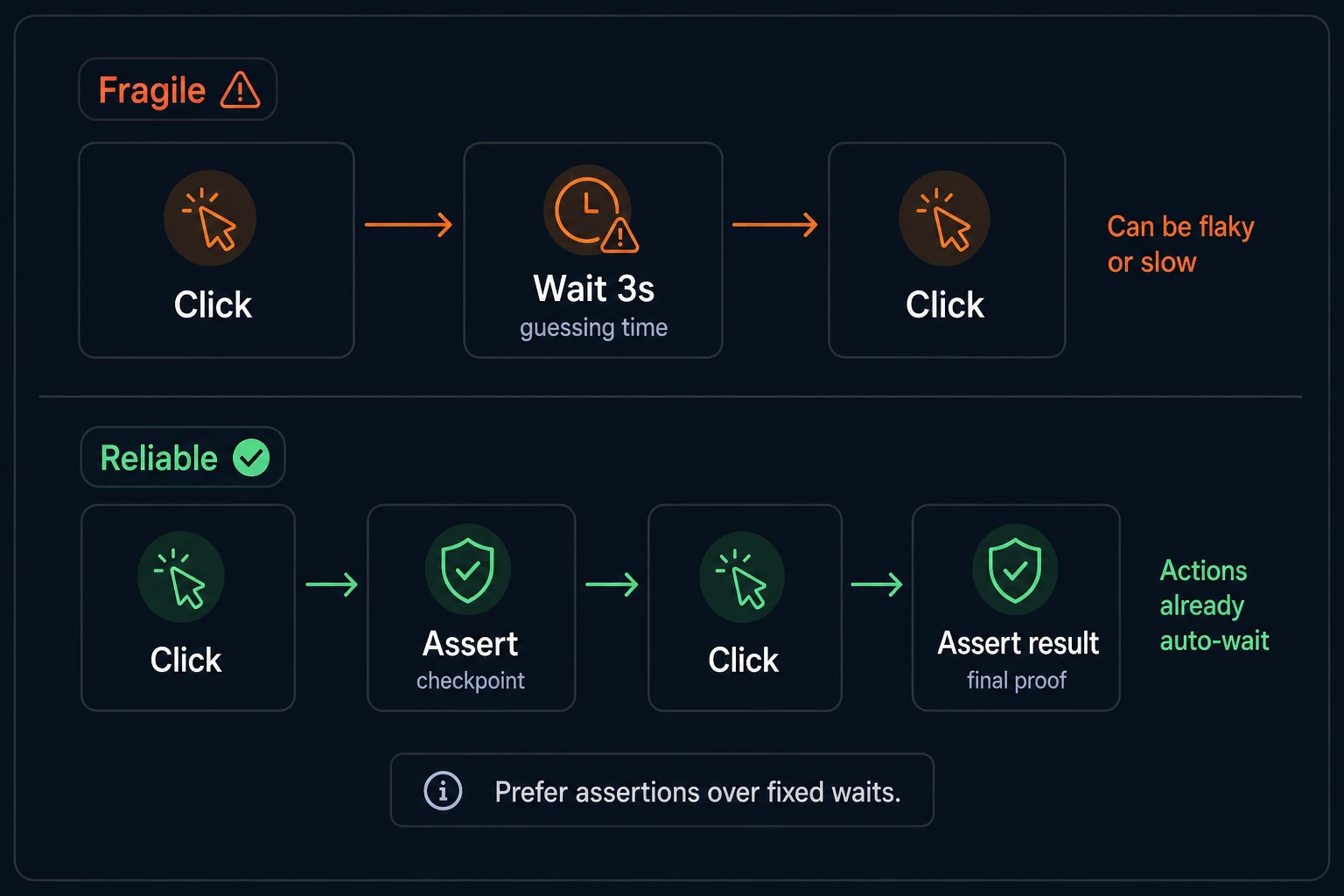
DontBreak waits for you. Every action — Click, Type Text, and the rest — waits for its own target element to be ready before it runs, so a click that triggers a page load simply waits out the load and acts once the next page's element is there. That makes the classic fragile pattern — click, Wait 3 seconds, click again — pure guesswork: too short and it's flaky, too long and it's slow, and you never needed it.
So most steps need nothing between them. Reach for an assertion at checkpoints, not after every step:
- Prove a stage worked — after Click "Add to cart", assert Page Contains "Added to cart" so a silent failure stops the test here, not three steps later.
- Pin the test to the right page — when a button like "Continue" exists on both the old and new page, assert Element is Visible on something unique to the next page first, so the action doesn't fire on the page you're leaving.
- Always assert the end result — the confirmation URL and the order text.
Keep Wait as a true last resort, for animations or timers with no observable end state — more on this in Handling Dynamic Content.
Below-the-fold content
Long pages — product lists, order summaries — often keep the element you need off-screen, but you rarely have to scroll by hand. DontBreak replays the scroll position you recorded and, when the target isn't there, searches for it by scrolling — so a below-the-fold element you target is reached automatically, and the lazy images and sections it scrolls past load on the way. Reach for an explicit Scroll element into view action only when you need that loading to happen on purpose — like growing an infinite list before you assert on it. More in Handling Dynamic Content.
Break long journeys into a suite
A 40-step test that fails at step 31 makes you rerun 30 steps to debug one. When a journey gets genuinely long or flaky, split it at natural boundaries — "Browse & add to cart", "Checkout", "Order confirmation email" — and group the pieces in a test suite so they run together and share suite-level settings like basic auth. Each test should set up its own starting state (a deep-link URL, or a Set Cookie step for a logged-in session) so it can run and fail independently.
Splitting is a trade-off, not a default. Three tests cost three times the quota of one (per browser × device), so don't fragment a journey that comfortably runs as a single test — assert at its checkpoints (above) and keep it one test, one run. Reach for a split when the debugging and flakiness cost of a long chain outweighs the extra runs.
When to split a journey
Split for length or flakiness, not to make tests small for its own sake. Three 12-step tests pinpoint failures faster than one 36-step test, and a flaky early step doesn't block verification of everything after it — but a tidy 15-step journey that asserts at its checkpoints is better left as one test, and one run.
Reusables for shared prefixes
When several journeys share the same opening steps — log in, open the store, dismiss the cookie banner — save that prefix as a reusable and insert it from the Reusables tab in each test. Edit the reusable once and every journey is updated. See Reusable Components.